Table of Contents
- Introduction
- What is AI Eye Matching Prompt?
- Why Couples Love This Trend
- AI Eye Matching Prompt Features
- Best AI Eye Matching Prompt (Copy This)
- How Eye Matching Works
- Step-by-Step Generation Guide
- AI Settings for Realistic Results
- Professional Tips
- Common Mistakes to Avoid
- FAQs
- Conclusion
Introduction
Your Instagram feed is probably full of them right now — those stunning, intimate ultra close-up couple eye photos that look straight out of a professional photoshoot. But here’s the secret: they’re created with AI, and you can make them too.
This is the AI Eye Matching Prompt trend of 2026, and it’s blown up across India faster than any filter we’ve seen before. At Bihar Preset, we’ve been tracking this trend since it went viral, and today we’re sharing the exact prompt, settings, and workflow to create magazine-quality couple eye portraits in minutes.
Whether you’re a couple wanting a romantic keepsake, a content creator chasing engagement, or someone curious about modern AI photography, this guide will walk you through everything.
What is AI Eye Matching Prompt?
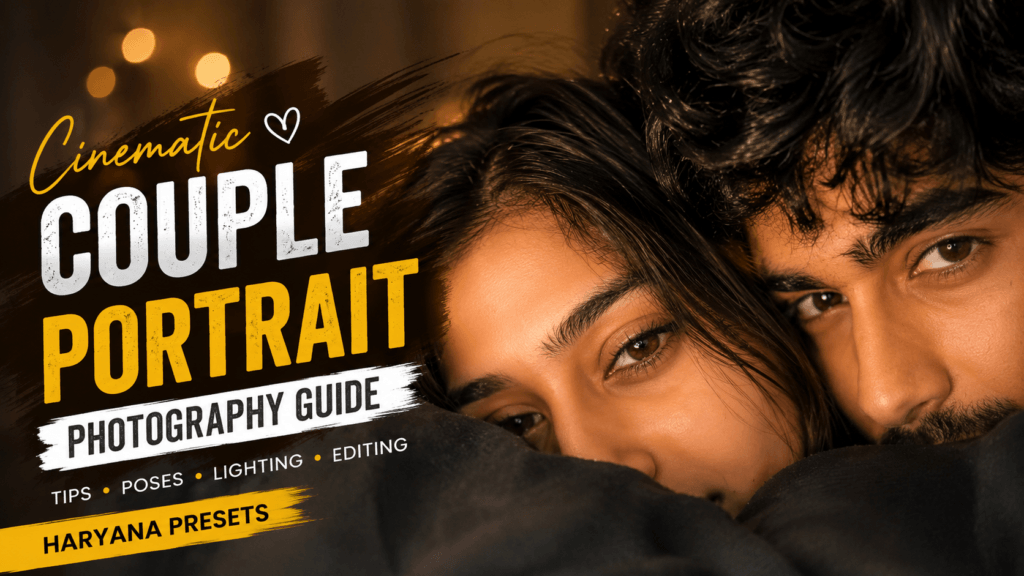
The AI Eye Matching Prompt is a detailed text instruction you feed into ChatGPT’s image generator that combines two separate eye close-ups — typically one partner’s eye and another’s — into a single hyper-realistic, emotionally charged couple portrait.
Unlike generic “couple photo” prompts, this trend zooms in on just the eyes, eyebrows, and surrounding skin. The result mimics a professional macro lens DSLR shot with:
✓ Sharp, textured eyelashes
✓ Natural skin pores and imperfections
✓ Soft cinematic lighting
✓ Realistic eye reflections (catchlights)
✓ Authentic smartphone camera feel (if that’s what you want)
The magic happens when the AI matches and blends two people’s unique eye features into one seamless frame — so it looks like both of you were in the same photoshoot, even though you took your photos separately.
Why Couples Love This Trend
1. It Feels Personal, Not Generic
You’re using your own eye photos as reference, so the output still feels authentically you — not a random AI-generated stranger.
2. Perfect for Social Media
Ultra close-ups look stunning on Instagram Reels, story highlights, profile pictures, and Pinterest. The composition naturally draws the eye (pun intended).
3. Zero Photography Skills Needed
No Lightroom presets to apply, no Photoshop layers to manage. A good prompt inside ChatGPT does 95% of the work.
4. Works for Everyone
Engaged couples, long-married partners, best friends, siblings — this trend isn’t limited to romance. We’ve seen it used for anniversary posts, friendship tributes, and even family photos.
5. The Emotional Impact
Eyes are the most expressive part of the face. By focusing only on them, this trend creates an intimate, vulnerable aesthetic that resonates with viewers.
AI Eye Matching Prompt Features
Here’s what makes this prompt stand out from basic “close-up” or “couple photo” prompts:
| Feature | What You Get |
|---|---|
| Composition | Ultra close-up on eyes + eyebrows only |
| Realism | DSLR macro-lens quality, not AI-cartoon look |
| Texture | Natural skin pores, faint imperfections, authenticity |
| Detail | Sharp eyebrow and eyelash definition |
| Lighting | Soft, cinematic — golden hour or studio feel |
| Eye Reflections | Realistic catchlights in the iris |
| Couple Blend | Two individual eye photos merged seamlessly |
| Resolution | Ultra HD / 8K print-quality output |
| Aesthetic | Instagram-premium, social-media-ready |
Best AI Eye Matching Prompt (Copy This)
Below is the exact, tested prompt you can paste into ChatGPT right now:
THE PROMPT (Copy & Paste)

Save this. Use this. Thank us later.
How AI Eye Matching Works (The Science)
When you upload two eye photos + paste this prompt into ChatGPT, here’s what happens behind the scenes:
- Image Analysis: The AI scans both uploaded images and identifies:
- Eye shape, color, and iris pattern
- Eyebrow thickness and arch
- Skin tone and texture around the eye
- Lighting conditions in each photo
- Feature Matching: The AI recognizes which features are unique to each person and flags them for preservation
- Intelligent Blending: Instead of just placing one eye next to another, the AI synthesizes a new composition that:
- Feels natural and symmetrical
- Preserves individual characteristics
- Creates a cohesive, “couple” aesthetic
- Maintains realism throughout
- Refinement: The prompt instructions (photorealistic, natural pores, cinematic lighting, etc.) guide the final output quality
This is why good reference photos matter — garbage input = garbage output.
Step-by-Step Guide: Generate Your AI Eye Photo
Step 1: Prepare Your Eye Photos
- Take two close-up shots of both partners’ eyes
- Use natural daylight or soft indoor lighting
- Keep the camera steady and focused directly on the eye
- Avoid heavy filters or makeup (natural is better)
- Aim for similar lighting conditions in both photos
Step 2: Open ChatGPT with Image Generation
- Go to ChatGPT (make sure you have image upload/generation enabled)
- Start a new conversation
Step 3: Upload Both Eye Images
- Click the attachment/image icon
- Upload the first eye photo
- Add the second eye photo in the same message
Step 4: Paste the Prompt
- Copy the full prompt from the section above
- Paste it into your ChatGPT message
- Hit send
Step 5: Wait & Review
- ChatGPT will generate the image (usually takes 30-60 seconds)
- Check for: realistic skin texture, sharp eyebrows, natural eye reflections
Step 6: Regenerate if Needed
- If it looks too plastic or artificial, reply with:
- “Make the skin texture more natural and visible”
- “Increase the eye reflection detail”
- “Add more realistic eyelash texture”
Step 7: Download & Share
- Right-click the image → Save
- Post on Instagram, WhatsApp, Pinterest, or wherever
- Boom. You’re trending.
Best AI Settings for Realistic Results
Keep these parameters in mind when generating or regenerating:
| Setting | Best Value | Why |
|---|---|---|
| Resolution | Ultra HD / 8K | Sharp, print-quality detail |
| Lens | 85mm DSLR macro | Natural depth of field + realism |
| Lighting | Soft cinematic or golden hour | Romantic, not harsh |
| Skin Texture | Natural, visible pores | Prevents plastic AI look |
| Color Grading | Warm, natural tones | Matches original skin tone |
| Depth of Field | Shallow (blurred background) | Eyes stay in sharp focus |
| Style | Photorealistic | No cartoons or painting effects |
| Finish | Raw, unedited, cinematic | Authentic feel |
Pro Tips for Perfect Results
✓ Use natural light when taking your reference eye photos — it gives the AI cleaner data
✓ Steady hands — blur confuses the texture mapping algorithm
✓ Skip heavy makeup in original photos — natural eyes match better
✓ Always say “natural skin texture” in prompts — this is your anti-plastic-AI weapon
✓ Request “cinematic lighting” instead of just “lighting” — adds romance
✓ Generate 2-3 variations and pick the most realistic
✓ Add “Instagram premium aesthetic” if you want social-media polish
✓ Mention the emotion — e.g., “intimate, vulnerable, romantic” guides the AI’s tone
Common Mistakes (& How to Avoid Them)
❌ Blurry Reference Photos
→ Use sharp, well-focused eye close-ups or the AI gets confused
❌ Skipping “Photorealistic”
→ Leads to cartoonish output. Always include it.
❌ Not Mentioning Skin Texture
→ Results in overly smooth, plastic-looking skin
❌ Using Heavily Filtered Original Photos
→ Changes natural eye color and skin tone — AI can’t correct this well
❌ Forgetting 8K/Ultra HD
→ Output quality drops noticeably
❌ Mismatched Eye Angles
→ One eye looking left, one looking straight breaks the symmetry
❌ Too Many Additional Requests
→ Keep the prompt focused; don’t add 10 new requirements at once
Frequently Asked Questions
Q: Is this free to use?
A: Yes, if you have ChatGPT Plus or access to image generation. It’s included in your subscription.
Q: Do I need photography skills?
A: No. Just take two clear, well-lit close-ups. A smartphone camera works perfectly.
Q: Can I use this for friends or siblings?
A: Absolutely. Works for any two people — couples, best friends, family members.
Q: Why does mine look fake or plastic?
A: Usually because the prompt didn’t mention “natural skin texture” or your reference photos were low resolution. Regenerate with emphasis on pores and imperfections.
Q: How long does generation take?
A: About 30-60 seconds, depending on ChatGPT’s server load.
Q: Is it safe?
A: Only upload photos you own or have permission to use. Don’t upload to random third-party websites. ChatGPT is secure.
Q: Can I edit the result further?
A: Yes. Use Lightroom, Snapseed, or your favorite editing app to adjust brightness, contrast, or color. (Pro tip: use a Bihar Preset for faster editing!)
Q: Which tool is best?
A: ChatGPT with image generation is currently the most reliable for this trend. Midjourney also works but requires more technical prompting.
Q: Where do I find more prompts like this?
A: Bihar Preset publishes new AI photo prompt guides, editing tutorials, and viral trend breakdowns regularly. Bookmark us.
Final Thoughts
The AI Eye Matching Prompt trend proves that you don’t need expensive camera gear or professional photographers to create stunning, emotionally resonant couple photos. A good prompt + two clear eye photos + 60 seconds = Instagram gold.
We love this trend because it democratizes professional-quality photography. Anyone with a smartphone and curiosity can create images that would normally cost hundreds of rupees.
As AI photo tools evolve through 2026, Bihar Preset will keep you updated with the latest prompts, techniques, and trends. If you found this guide helpful, save it, share it with your partner, and bookmark Bihar Preset for more viral AI photo guides.
Your perfect couple eye photo is literally one prompt away.
Related Reading
- 2000+ Free AI Prompts for ChatGPT & Midjourney
- Natural Portrait Photography Presets & Lightroom Guide
- Best Free AI Photo Editing Tools 2026
- Viral AI Photo Trends: Complete 2026 Guide
Bihar Preset | AI Photo Editing Made Simple
Follow us for daily AI photo prompts, Lightroom presets, and trending photo editing tutorials.
test