Table of Contents
- Introduction
- What Makes a Great Portrait Prompt?
- Why Identity Preservation Matters
- Best Close Up Portrait Prompts
- How to Use the Prompts
- Bihar Update Pro Tips
- Frequently Asked Questions
- Final Thoughts
Introduction
Welcome to Bihar Update In, your trusted source for premium AI photo editing prompts. Creating an ultra-realistic cinematic portrait with AI requires more than simply describing a person’s appearance.
A professional-quality prompt combines identity preservation, lighting, camera settings, facial details, and artistic direction to produce a photorealistic image.
The prompts shared in this Bihar Update In guide are designed to create premium Instagram-style close-up portraits while preserving the subject’s original facial identity and hairstyle.
What Makes a Great Portrait Prompt?
A powerful close-up portrait prompt has several key ingredients working together:
- Identity lock — keeps your exact face intact
- Composition — controls framing and negative space
- Lighting — sets the cinematic mood
- Camera settings — adds realistic DSLR quality
- Color grading — gives that premium magazine look
When these elements combine, you get a portrait that looks professionally shot in a studio.
Why Identity Preservation Matters
The foundation of every good prompt is identity preservation. When working from a reference image, the AI should maintain the exact face, facial structure, hairstyle, beard, skin tone, eye shape, jawline, lips, eyebrows, and other defining features.
This ensures the generated portrait resembles the original person rather than creating a completely different face. A good identity lock instruction tells the AI not to alter facial proportions or introduce unrealistic changes. That’s why Bihar Update includes strong identity lock instructions in every prompt.
Best Close Up Portrait Prompts on Bihar Update In
These are the exact prompts tested by Bihar Update. Copy them directly and use with ChatGPT, Gemini, or Midjourney:
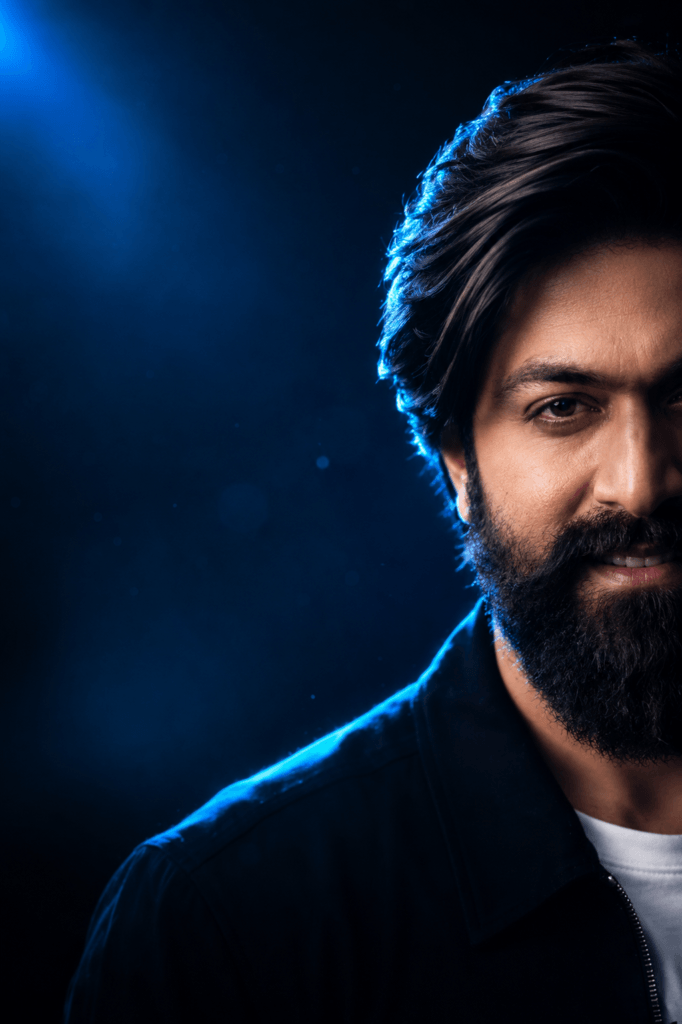
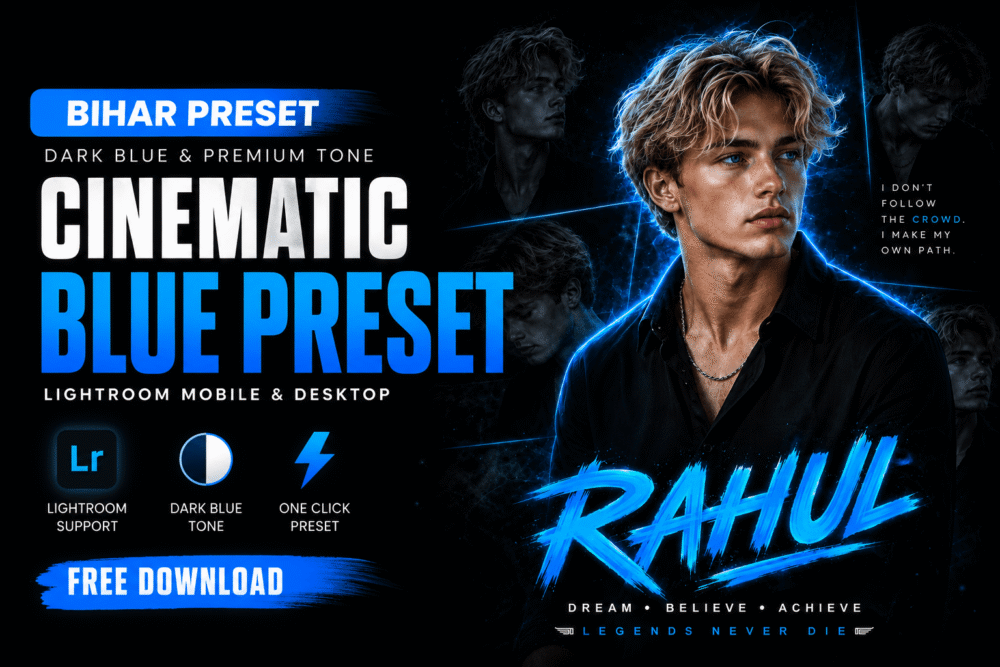
Prompt 1: Blue Rim Light Studio Portrait
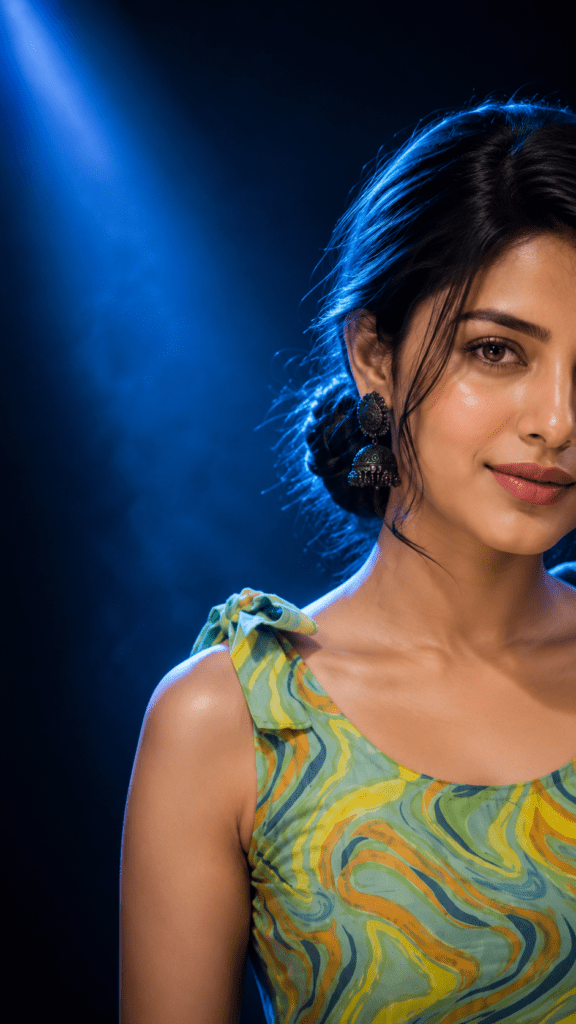
Prompt 2: Blue Cinematic Beauty Portrait (Bihar Update In)
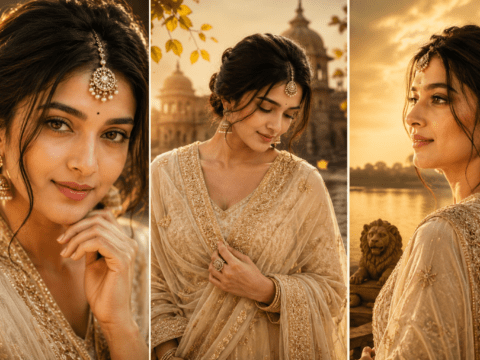
Prompt 3: Golden Hour Cinematic Close-Up
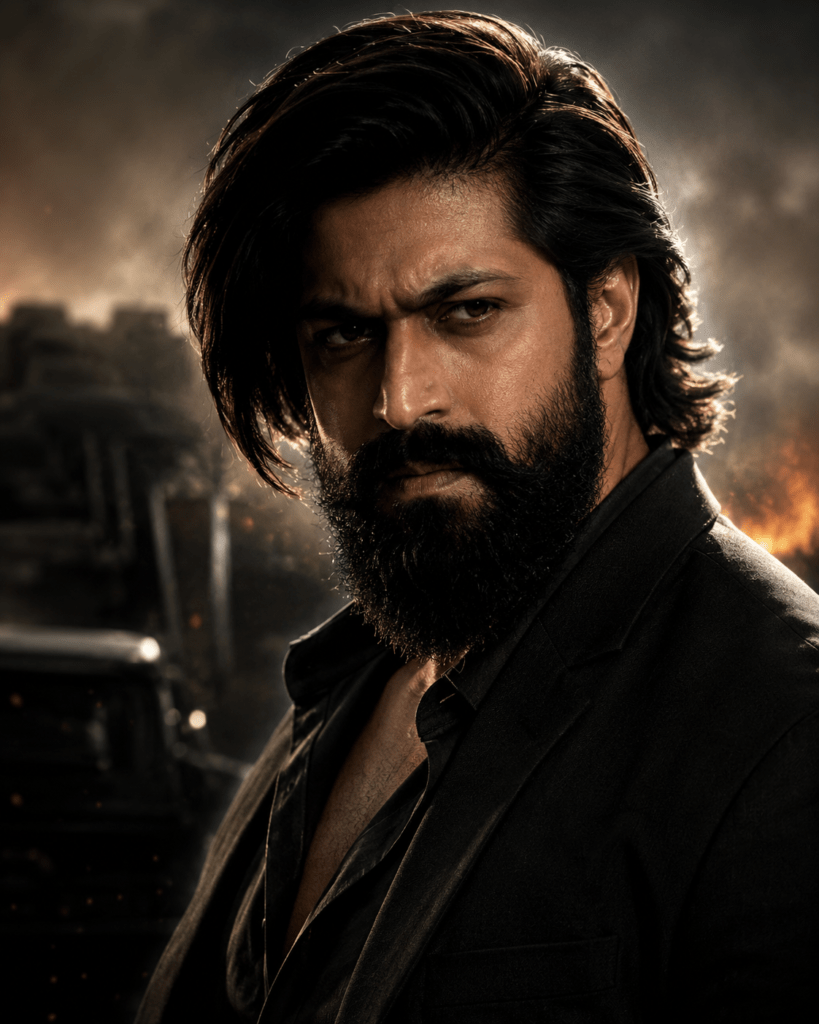
Prompt 4: Simple Golden Hour Half-Face Portrait
Create an ultra-realistic cinematic golden hour portrait of a young person (male or female), captured in a close-up shot with only half of the face visible on the right side of the frame and the rest of the image filled with a dark, softly blurred background. The subject has a subtle natural smile, glowing skin illuminated by warm orange sunset light, detailed eyes, and slightly messy hair catching the sunlight. The composition should feel moody, aesthetic, and premium, with soft shadows and DSLR-style photography. The face should occupy only 40% of the frame, leaving negative space on the left side. Include natural skin texture, dramatic side lighting, and a modern Instagram aesthetic. Shot on an 85mm lens, photorealistic, ultra-HD, highly detailed, cinematic color grading, 3:4 portrait aspect ratio.
make Sure Use Exact face 100%
Negative prompt: cartoon, anime, low quality, blurry, extra eyes, extra face, deformed features, oversaturated colors, overexposed lighting, duplicate person, bad anatomy, unrealistic skin, text, watermark, logo.
Prompt 5: Harsh Sunlight Beauty Portrait (Bihar Update In)
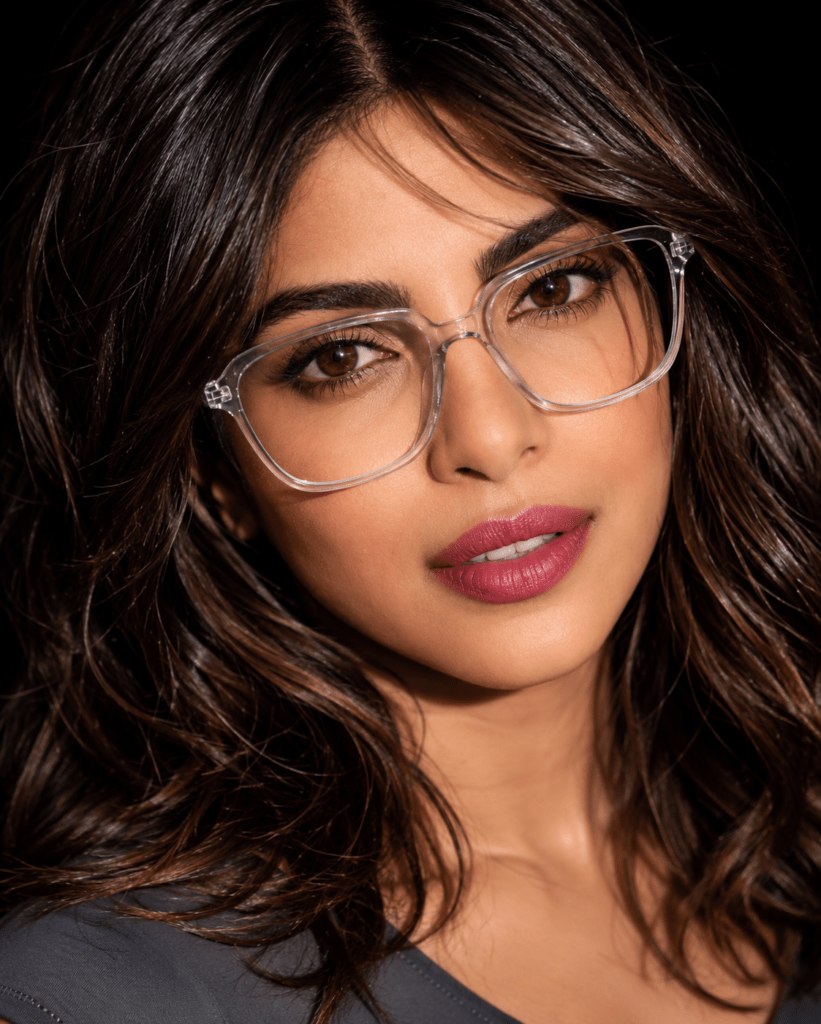
Ultra-realistic extreme close-up beauty portrait of a young woman in harsh midday sunlight, head tilted sideways and slightly back, direct gaze at camera, large transparent geometric glasses, long dark-brown hair flowing across the face creating natural shadow patterns, glossy pink lips, flawless realistic skin texture, defined lashes, natural brows, dramatic sunlight highlights, dark blurred background, DSLR 85mm lens, shallow depth of field, sharp focus, photorealistic, HDR, luxury.
Prompt 6: Moody Golden Light Portrait for Men
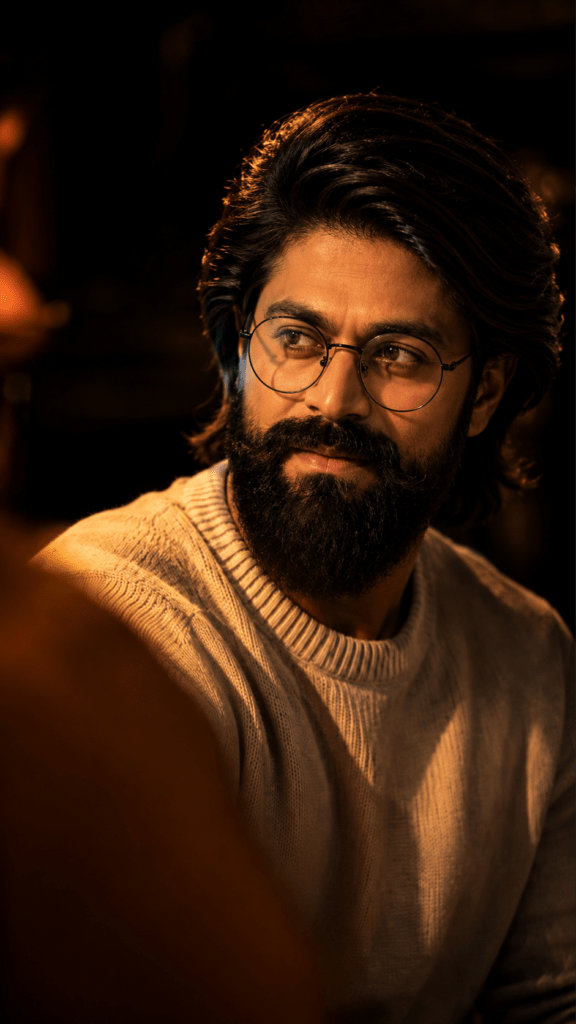
Create an ultra-realistic cinematic golden hour portrait of a young person (male or female), captured in a close-up shot with only half of the face visible on the right side of the frame and the rest of the image filled with a dark, softly blurred background. The subject has a subtle natural smile, glowing skin illuminated by warm orange sunset light, detailed eyes, and slightly messy hair catching the sunlight. The composition should feel moody, aesthetic, and premium, with soft shadows and DSLR-style photography. The face should occupy only 40% of the frame, leaving negative space on the left side. Include natural skin texture, dramatic side lighting, and a modern Instagram aesthetic. Shot on an 85mm lens, photorealistic, ultra-HD, highly detailed, cinematic color grading, 3:4 portrait aspect ratio.
make Sure Use Exact face 100%
Negative prompt: cartoon, anime, low quality, blurry, extra eyes, extra face, deformed features, oversaturated colors, overexposed lighting, duplicate person, bad anatomy, unrealistic skin, text, watermark, logo.
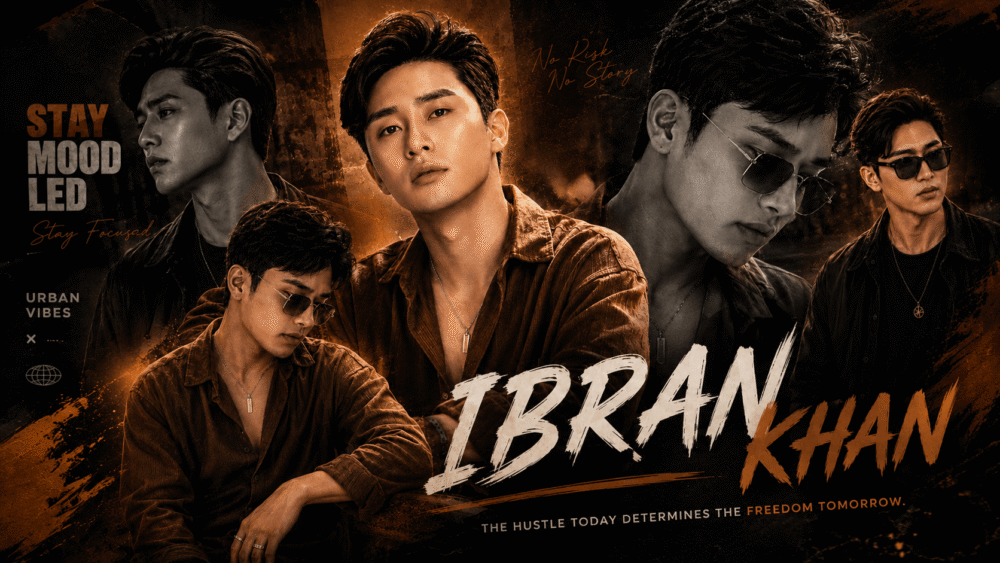
Create this image a handsome young man, use my face on this image, with dark brown hair, is captured in a moody, low-light setting. He is looking off to his right, with a thoughtful and slightly introspective expression, his lips slightly parted. He wears round, thin-rimmed glasses and a light-colored, possibly off-white or light grey, crew-neck knit sweater. The scene is illuminated by dramatic, warm, golden or orange light coming from the left, strongly highlighting his face, jawline, and the texture of his hair and sweater, while casting the rest of the background into deep shadow. A blurred shoulder or figure is visible in the foreground. Luxury Instagram aesthetic, romantic mood, smooth blending, premium editing, trending social media artwork.
How to Use the Bihar Update In Prompts
Follow these simple steps from Bihar Update In to create your own close-up portrait:
- Step 1: Copy the prompt you like
- Step 2: Open ChatGPT, Gemini, or Midjourney
- Step 3: Upload your clear reference photo
- Step 4: Paste the prompt
- Step 5: Send and generate your portrait
Bihar Update In Pro Tips for Best Results
Use a Sharp Reference Photo
Start with a clear, well-lit photo where your face is fully visible. This helps the AI preserve your identity accurately.
Never Remove the Identity Lock
The “STRICT IDENTITY LOCK” section is the most important part. Keep it to ensure your final portrait looks exactly like you.
Match the Aspect Ratio
Use 3:4 portrait ratio for the best Instagram close-up results with proper negative space.
Frequently Asked Questions
Q: Which AI tools work with these prompts?
A: These prompts work with ChatGPT, Gemini, Midjourney, and most modern AI image generators.
Q: Will my face stay the same?
A: Yes. Every prompt includes strict identity lock instructions, so your facial features stay 100% preserved.
Q: What is the half-face composition?
A: These prompts show only the right half of the face with negative space on the left, creating a modern, premium editorial look.
Q: Do I need editing skills?
A: No skills needed. Just upload a clear photo, paste the prompt, and the AI does the rest.
Q: What’s the best lighting style?
A: Blue rim light gives a cinematic studio feel, while golden hour offers a warm, romantic mood. Try both to see which suits you.
Recommended AI Tools
These platforms work great with the close-up portrait prompts:
ChatGPT is excellent for generating and running these detailed portrait prompts.
Gemini from Google offers strong image generation with identity preservation.
Midjourney delivers premium cinematic portraits with rich lighting and detail.
Final Thoughts
Close-up portrait prompts are one of the most popular AI photo editing trends on Bihar Update In. With the right identity lock, lighting, and camera details, you can create professional-quality portraits in just a few steps.
Try different lighting styles — blue studio light or warm golden hour — to make each image unique. Save these prompts, experiment with new ideas, and keep exploring creative ways to improve your AI portraits.
Visit Bihar Update In for more AI photo editing tutorials and premium prompts released regularly.
Leave a Reply