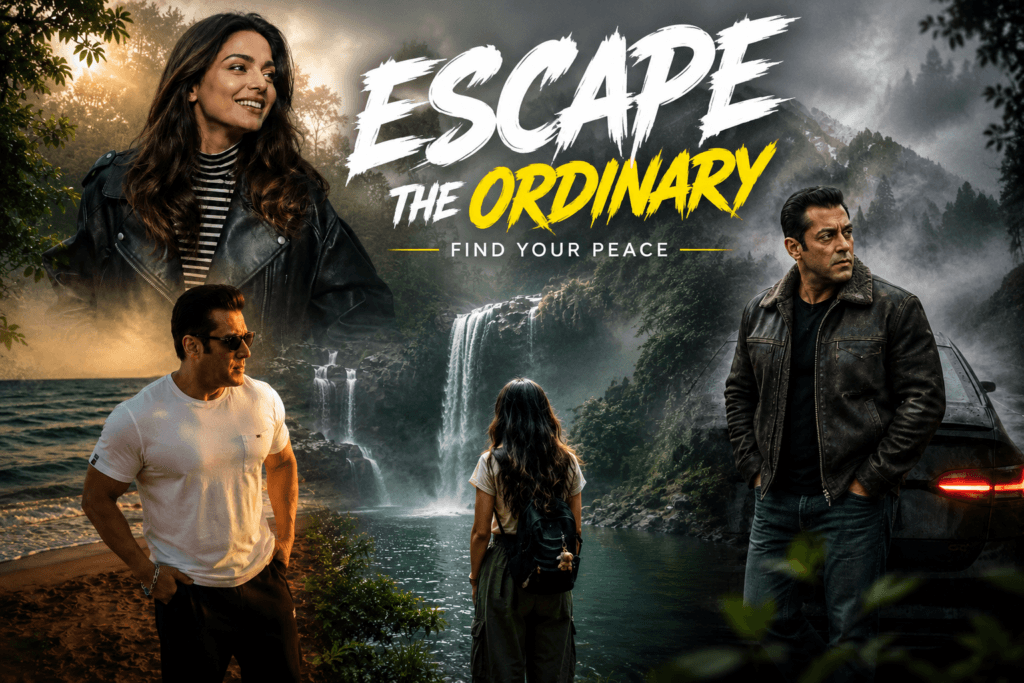
Fog photography has become one of the most trending styles in AI image generation and photo editing. The soft mist, dreamy atmosphere, and cinematic lighting create a unique mood that instantly makes any image look professional and eye-catching.
Whether you’re a content creator from Bihar or anywhere else, mastering cinematic fog prompts is essential to stand out on social media. This Bihar Update guide provides everything you need to create stunning visuals with AI tools like ChatGPT, Gemini, Midjourney, and more.
Table of Contents
- What Are Cinematic Fog Photo Prompts?
- Key Elements of Ultra-Realistic Fog Photography
- Foggy Forest Masterpiece Prompt
- Subject Preservation Color Grade Prompt
- Forest Atmosphere Prompt
- Moody Nature Landscape Prompt
- Pro Tips for Best Results
- FAQ: Fog Photo Prompts
What Are Cinematic Fog Photo Prompts?
Cinematic fog photo prompts are detailed text instructions designed to guide AI image generators in creating ultra-realistic, professional-quality images with fog, mist, and atmospheric depth. These prompts are specifically engineered to produce:
- Natural, dense fog and atmospheric mist
- Professional color grading (similar to Lightroom or DaVinci Resolve)
- Volumetric lighting and god rays
- Ultra-high definition (4K) quality with sharp details
- Cinematic depth and immersive atmosphere
- National Geographic-style photorealism
These prompts work across all major AI image tools and are perfect for content creators, photographers, and creatives looking to elevate their visual content.
Key Elements of Ultra-Realistic Fog Photography
The secret to great fog-style photo prompts lies in balancing realism with artistic mood. Here are the critical elements:
1. Fog and Mist Composition
Dense, natural white fog must be layered strategically to create depth. Mention “dense natural white fog,” “layered atmospheric mist,” and “volumetric fog” in your prompt for authentic results.
2. Color Grading
Premium color grading transforms ordinary images into cinematic masterpieces. Use specific color palettes:
- Forest greens: Deep emerald, dark teal, moss green
- Earthy tones: Warm browns, muted highlights
- Cinematic shadows: Cool, sophisticated color separation
3. Lighting and Atmosphere
Volumetric light rays, diffused natural light, and realistic weather conditions create the cinematic feel. Always specify “soft volumetric light rays,” “god rays,” and “cold misty morning mood.”
4. Image Quality Settings
Include “ultra-HD DSLR quality,” “4K resolution,” “HDR enhancement,” and “razor-sharp details” for professional-grade output.
🎬 Foggy Forest Masterpiece Prompt
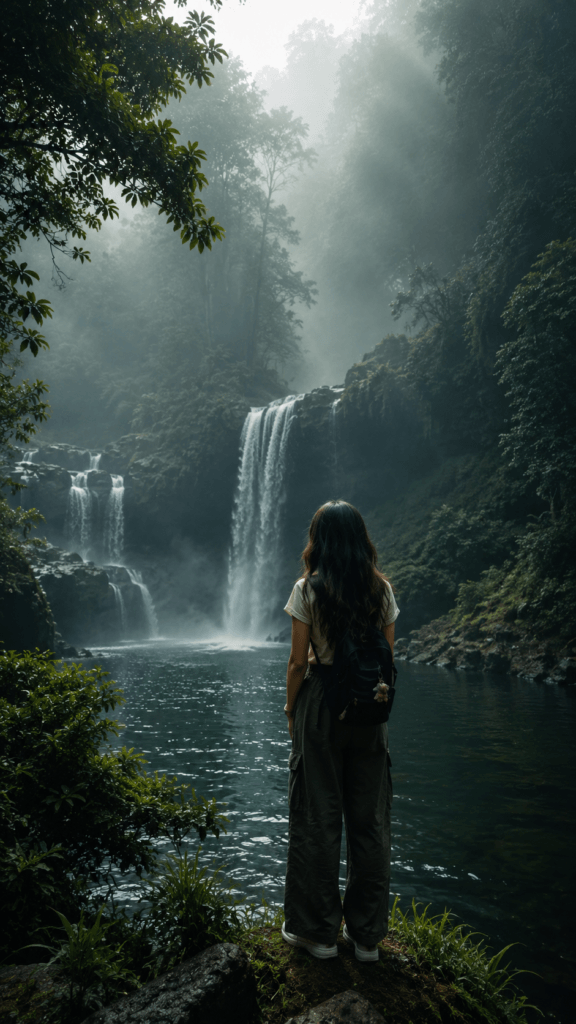
This is the ultimate cinematic fog photo prompt for transforming any base image into a breathtaking forest scene:
Best for: Landscape images, forest scenes, nature photography, and environmental storytelling.
🎥 Subject Preservation Cinematic Color Grade Prompt
This advanced fog photo prompt preserves the main subject while applying cinema-quality color grading, perfect for portrait and object-focused images:
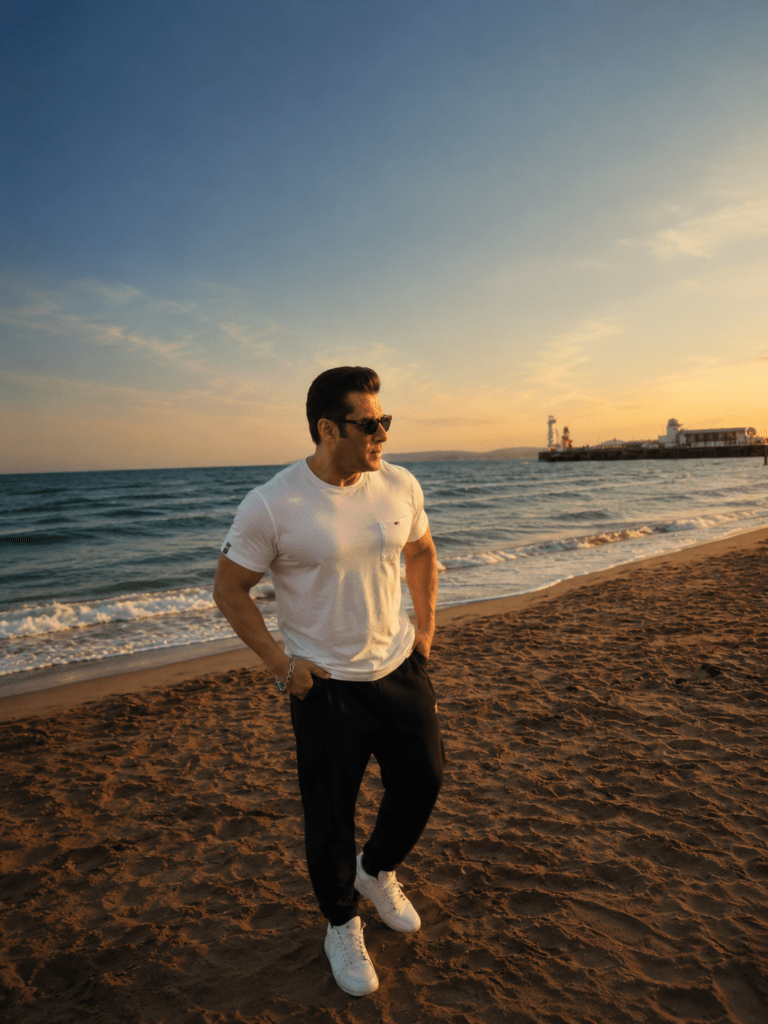
Best for: Portraits, product photography, character shots, and any image where subject integrity is critical.
🌲 Ultra-Realistic Forest Atmosphere Prompt
A streamlined yet powerful cinematic fog prompt for quick transformations with maximum visual impact:
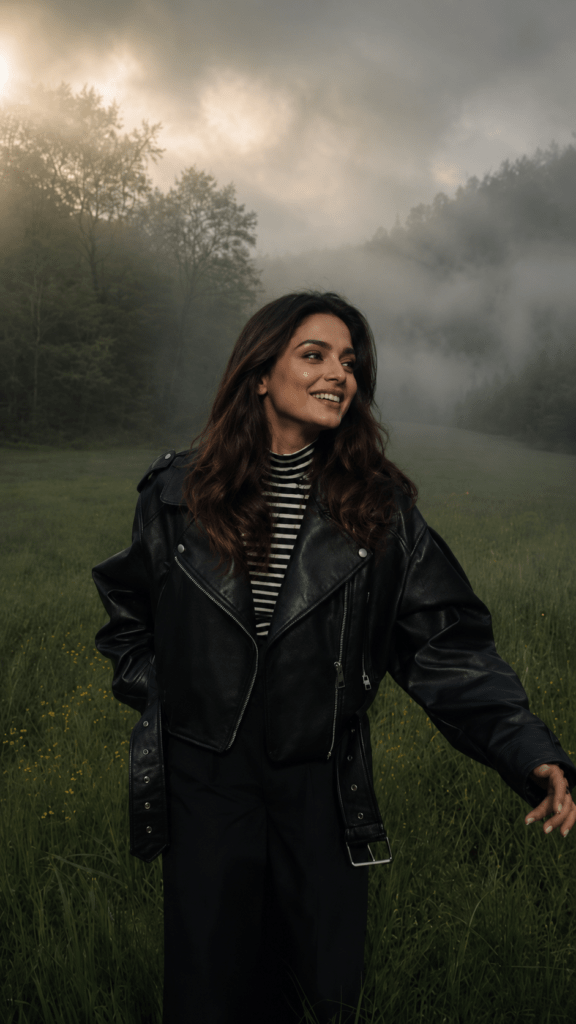
Best for: Landscape transformations, nature content, travel photography edits.
🌫️ Moody Nature Landscape Prompt (Short Version)
When you need speed without sacrificing quality, use this concise yet effective fog photography prompt:
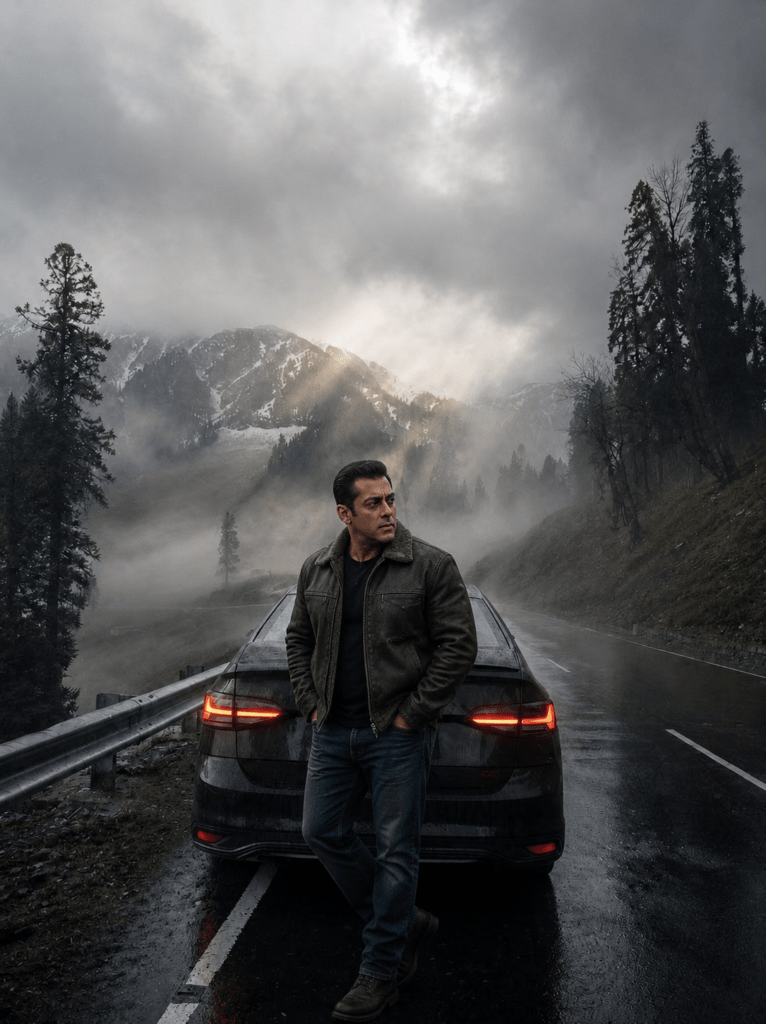
Best for: Quick edits, social media content, rapid content creation workflows.
Pro Tips for Creating Stunning Cinematic Fog Images
1. Start with High-Quality Base Images
The better your original image, the better the transformation. Use clear, well-lit source photos for optimal results with fog prompts.
2. Customize Colors to Your Brand
Replace the default color palette with colors that match your brand identity. Instead of “emerald green,” try “burgundy,” “gold,” or “silver” for unique variations.
3. Adjust Fog Density
Change “dense fog” to “subtle mist” or “light haze” depending on how dramatic you want the effect. Different fog levels create different moods.
4. Layer Multiple Prompts
Use multiple prompts sequentially. Start with the base transformation, then use the color-grade prompt in a second pass for enhanced results.
5. Test and Iterate
Every AI tool produces slightly different results. Test these fog photo prompts across ChatGPT, Gemini, Midjourney, and DALL-E to find your preferred style.
6. Use for Content Calendars
Create a batch of 10-15 cinematic images monthly for consistent, professional social media content. Perfect for Instagram, Pinterest, and TikTok.
💡 Pro Tip: These cinematic fog prompts work best when combined with AI upscalers. Use tools like Upscayl or Topaz Gigapixel AI to enhance the final 4K output to 8K quality for print-ready results.
FAQ: Cinematic Fog Photo Prompts
Q: Which AI tool works best for fog photo prompts?
All major tools (Midjourney, ChatGPT, Gemini, DALL-E) produce excellent results. Midjourney tends to have the best color rendering, while Gemini offers faster processing. Test with all to find your preference.
Q: Can I use these prompts for commercial projects?
Yes, these cinematic fog prompts are designed for professional and commercial use. Always verify your AI tool’s terms of service for commercial content rights.
Q: How long does it take to generate a fog image?
Processing time varies: Midjourney (30-60 seconds), ChatGPT (2-5 minutes), Gemini (1-3 minutes). Longer prompts may require additional processing time.
Q: Can I modify these prompts for my specific needs?
Absolutely! These are template prompts. Feel free to customize colors, atmospheres, and styles to match your creative vision. The structure remains effective across variations.
Q: What’s the difference between HDR and standard quality in prompts?
HDR (High Dynamic Range) creates images with enhanced contrast and color depth, while standard quality produces flatter results. For fog photography prompts, always include HDR for maximum cinematic impact.
Q: Can fog prompts work with non-landscape images?
Yes! The second prompt (Subject Preservation) is specifically designed for portraits and object-focused images. Fog creates atmospheric depth regardless of subject type.
Q: How do I maintain consistent branding across fog images?
Use the same color palettes, lighting descriptions, and style directives across all prompts. Create a “brand prompt template” and customize only specific elements for each use.
Q: Are these prompts mobile-friendly for social media?
Yes. The 4K output is perfect for Instagram, TikTok, and Pinterest. For mobile, you can reduce quality parameters to “2K” for faster processing while maintaining excellent visual quality.
Conclusion: Master Cinematic Fog Photography
Cinematic fog photo prompts are the key to creating professional, eye-catching visual content that stands out on social media and in creative projects. By combining realistic fog effects, soft lighting, detailed textures, and atmospheric depth, you can produce stunning visuals that instantly elevate your content quality.
The secret to great fog photography is balancing realism with artistic mood. Small details such as mist scattering, wet surfaces, natural shadows, and soft color grading make a tremendous difference in the final result. Use the four copy-paste ready prompts provided in this Bihar Update guide to create your own breathtaking fog-style images.
Start experimenting with these ultra-realistic fog prompts today and bring a new level of sophistication to your AI-generated artwork. Whether you’re a content creator, photographer, or digital artist, these prompts are designed to help you create professional results every single time.
Related content: Check out Vipul Squad, Bihar Preset, and MK Edit for more AI photo editing guides and prompts.
Leave a Reply